Views
A view is a table of tokens that stays in the sidebar, with its own chat beside it. Questions in that chat are about the tokens in the table.
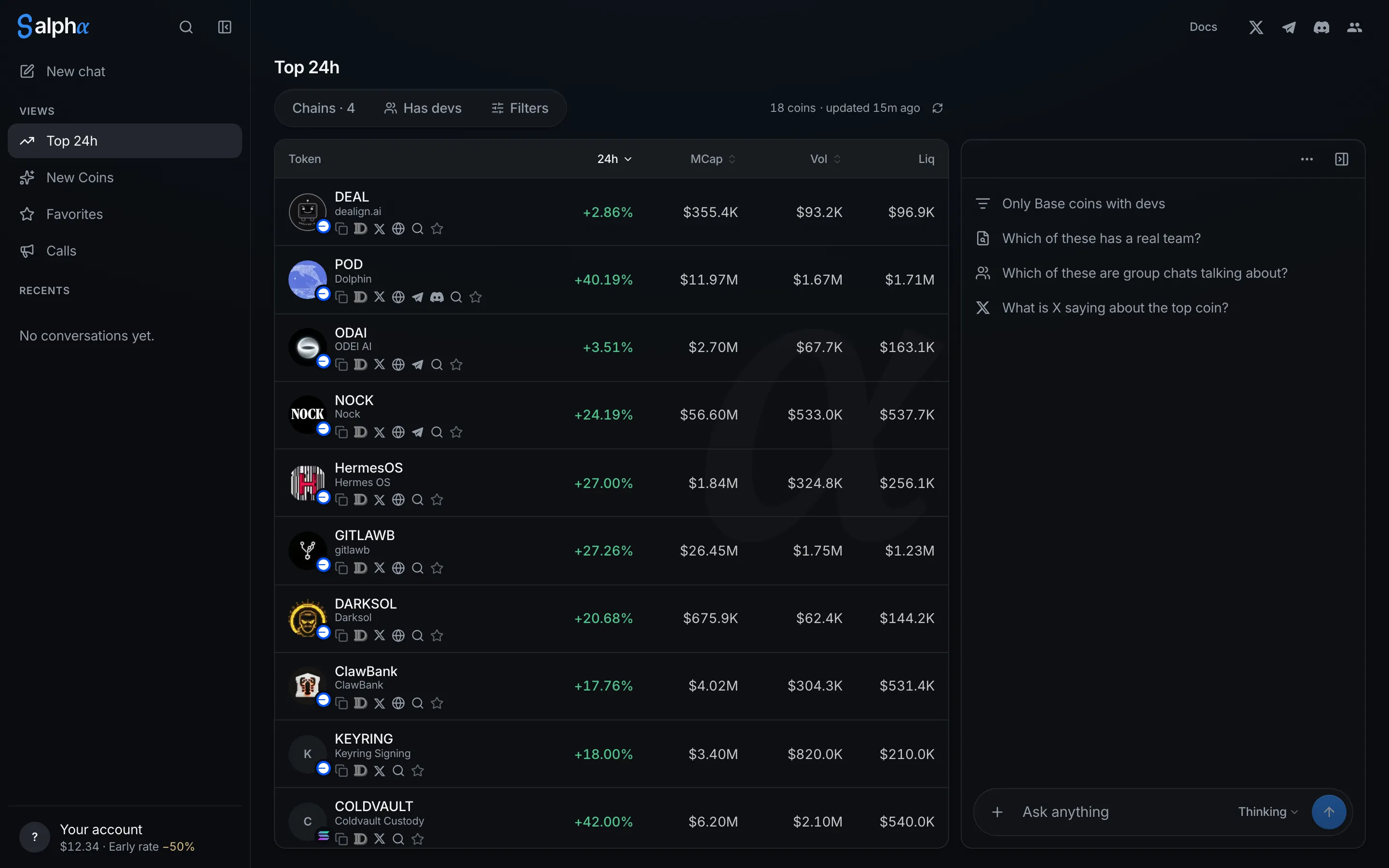
Built-in views
- Top 24h: the tokens that moved most in the last 24 hours.
- New Coins: tokens launched in the last 24 hours, by volume.
- Favorites: the tokens you starred.
- Calls: the tokens posted in your Telegram groups and Discord servers, with who posted each one first. Only you see it.
Anyone can open Top 24h and New Coins. The others need you to sign in, and Calls needs a connected Telegram or Discord account.
Filter and sort a view
Use Chains, Has devs, and Filters above the table, or ask in the view’s chat, for example “only Base tokens above $500k”. Select a column heading to sort by it.
Your changes stay on the view, on every device. Select a chip to remove one filter, or Reset to undo them all.
In Calls, you can also pick which chats to include, and how far back to look under Filters.
Save your own view
Ask for a table in the chat, then select Save as view on it. You can keep up to 50 views. To delete one, select the delete button beside it in the sidebar.
Favorites
Select the star on any token to add it to Favorites. Select it again to remove it.