The web app
The web app at app.salpha.ai is a chat. Ask a question, and the answer comes with any tables or reports it needs. Your views and past conversations are in the sidebar.
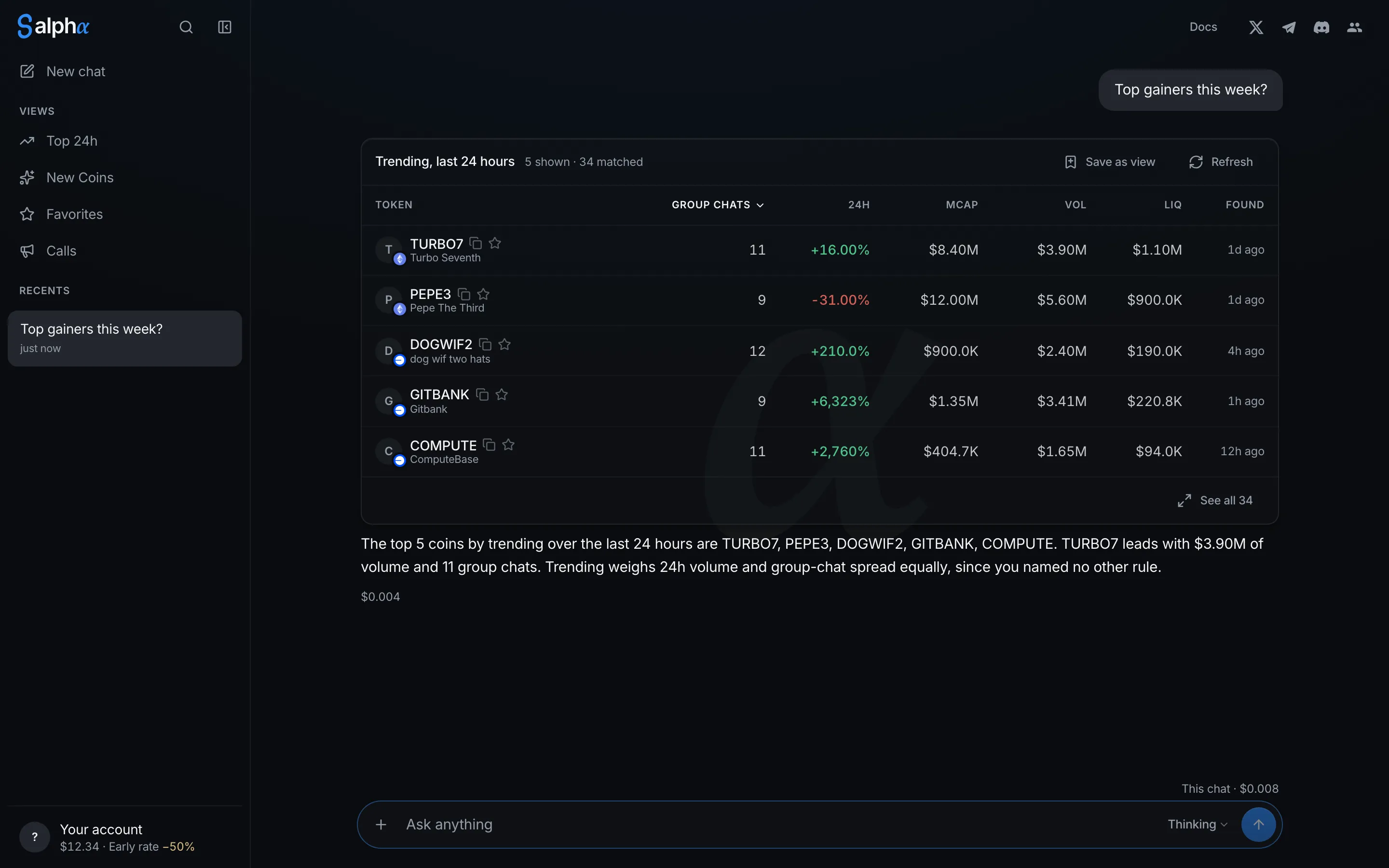
Ask a question
Type in the text box, or select one of the example questions. Select + to attach up to two images or PDFs.
Thinking is the default. It researches further and takes longer. Switch to Fast for quicker, cheaper answers.
Each answer shows what it cost. The total for the conversation is shown above the text box.
To start a new conversation, select New chat. Your past conversations are under Recents.
Find a token
Select the search button at the top of the sidebar, then enter a ticker or a contract address.
- If Salpha has a report, it opens.
- If not, you can ask Salpha to research the token. This is free.
- If a ticker matches several tokens, you see each one with its contract address.
To find tokens by what they are, ask in the chat instead: “Which tokens launched this week with a working product?”
Your account
Select your name at the bottom of the sidebar to see your balance, add funds, connect Telegram or Discord, or sign out. See Balance and costs.